
Appointment Booking Tool
A UX research case study for Telstra Health.
This case study reconstructs the UX research process behind this project for portfolio purposes. Research artefacts are representative syntheses; raw client data remains confidential.
Designing a unified, research-led scheduling experience for clinicians, care teams, and patients across virtual, home-visit, and face-to-face care.
Digital Health · UX Researcher & Product Designer
Appointment Booking Tool
Telstra Health
Executive Summary
Telstra Health needed one scheduling experience for clinicians, care teams, and patients across virtual, home-visit, and face-to-face care. Fragmented booking flows caused double-bookings and manual rework. I led discovery through validated design over eight weeks.
01 — Overview
Australia's largest digital health provider.
Telstra Health is Australia's largest provider of digital solutions and services to healthcare providers and governments across the full care continuum — from prevention and primary care through to hospitals, aged care, and social services, with a presence across Australia, New Zealand, the UK, Canada, and the Middle East.
The Appointment Booking Tool is an internal scheduling module built for two connected Telstra Health platforms — the clinician-facing Virtual Health Platform (VHP) and the Kyra PAS/Clinical system — that lets clinicians and care teams schedule and manage patient appointments, including virtual video calls, home visits, and face-to-face consultations.
My Contribution
I led the end-to-end research program — designing the interview and survey instruments, running stakeholder and user interviews, facilitating the contextual inquiry sessions, and synthesising findings into personas, journey maps, and the pain-point/opportunity matrix. I owned the translation from research insight to design decision and designed the core screens and flows. I partnered with an engineering lead on technical feasibility for cross-platform components, and with a visual/UI designer on final visual polish for the patient-facing app.
02 — Background & Problem
Scheduling was happening everywhere except the platform.
Clinicians and care coordinators were managing patient appointments largely outside the core clinical platform — juggling phone calls, SMS threads, personal calendars, and paper diaries to coordinate video calls, home visits, and in-clinic consultations.
As the Virtual Health Platform matured, the product team recognised a recurring need across multiple client engagements: clinicians wanted to schedule appointments directly from the platform they already used to manage patients — without duplicating effort across Kyra PAS/Clinical and VHP.
Product Owner, VHP
"Wouldn't it be awesome if the clinician was just able to schedule an appointment through the platform they're already using to manage everything else with the patient?"
Why This Needed Research
Four assumptions we couldn't afford to guess on.
Fragmented workflow
Scheduling happened across phone calls, SMS, personal calendars, and paper diaries, with no single source of truth.
No visibility across teams
Clinicians couldn't see a colleague's or team's availability without asking directly, risking double-booking.
Cross-platform inconsistency
Kyra PAS/Clinical and VHP had no shared design pattern, so behaviour and expectations diverged.
Wide range of digital literacy
Patients spanned tech-confident younger users to older, less confident users needing extra clarity — assumptions had to be tested, not guessed.
03 — Goals
What success looked like.
Product Goals
- 01
Create & view appointments
Enable clinicians to manage appointments for assigned patients and follow-ups effectively.
- 02
Standardise patterns
Identify patterns across Kyra PAS/Clinical and VHP that could become one interchangeable design pattern.
- 03
Reusable design pattern
Deliver a simple, reusable pattern usable across multiple areas of the platform.
Research Goals
- 01
Map workflows
Understand current scheduling workflows, tools, and workarounds across clinical and administrative roles.
- 02
Prioritise friction
Identify the highest-frequency, highest-friction tasks to prioritise in design.
- 03
Validate patient flow
Validate patient-side expectations for accepting/declining and joining appointments.
- 04
Shared evidence base
Build a shared, evidence-based view of user needs across a distributed team.
04 — Research Methodology
A mixed-methods approach.
Primary research (first-hand data) combined with secondary research (industry knowledge and competitor products) to triangulate findings.
Research Methodology Mix
- Stakeholder interviews15%
- Clinician/admin interviews25%
- Online survey (42 respondents)25%
- Contextual inquiry / shadowing12%
- Competitor & heuristic analysis13%
- Secondary research review10%
Primary Research Methods
| Method | Sample | Purpose |
|---|---|---|
| Stakeholder interviews | 7 (Product, Engineering, Clinical Lead, Client Partner, Compliance) | Align on business goals, constraints, technical feasibility |
| 1:1 semi-structured user interviews | 14 (nurses, doctors, admin clerks, customer service) | Understand current workflows, tools, frustrations |
| Contextual inquiry / shadowing | 5 clinicians across 2 client sites | Observe real scheduling behaviour, uncover workarounds |
| Online survey | 42 respondents | Quantify frequency/severity of pain points at scale |
| Usability testing (prototype) | 8 participants, moderated remote | Validate task flows before build |
Secondary Research
4
Competitors analysed
Feature and heuristic matrix of MediRecords, HotDoc, Coviu, and MedicalDirector.
Lit
Literature review
Clinical scheduling systems, telehealth usability, and appointment-booking best practices.
10
Heuristic evaluation
Nielsen's 10 heuristics and WCAG 2.1 AA accessibility principles.
Data
Internal analytics review
Support-ticket themes and platform usage patterns.
05 — Stakeholder Interviews
Aligning across product, engineering, clinical, and compliance.
| Stakeholder | Role | Key Focus Area |
|---|---|---|
| Product Owner — VHP | Product | Patient-facing experience, telehealth video call flow |
| Engineering Lead | Engineering | Technical feasibility of shared components across platforms |
| Clinical Lead | Clinical Safety | Safety around appointment conflicts, recurring bookings |
| Client Partner | Client Relations | Requirements from hospital and community health clients |
| Customer Success Manager | Support | Recurring themes from client support tickets |
| Data & Compliance Officer | Compliance | Patient data handling, time zone/privacy |
| Research Lead | Research | Prior research and known usability issues |
Product Owner, VHP
"Calendar and team view also needs to support searching across individuals — clinicians manage patients across multiple providers, not just their own list."
Engineering Lead
"Appointment setup really depends on the time zones involved — we can't assume everyone is in the same state, let alone the same time zone."
Key Insights
- Cross-platform consistency was non-negotiable — one pattern across Kyra PAS/Clinical and VHP.
- Time zones and reminders were an underestimated risk, later confirmed as a top-10 survey pain point.
- Patient-side simplicity was a hard requirement across a broad range of digital literacy.
06 — User Interviews & Contextual Inquiry
What clinicians actually do.
14 semi-structured 45-minute interviews with nurses, doctors, admin clerks, and customer service staff, followed by 5 contextual inquiry (shadowing) sessions to observe real scheduling behaviour.
Goals of the Interviews
- Understand how appointments are currently scheduled, step by step, across roles.
- Surface workarounds and "unofficial" tools being used to compensate for gaps in the current system.
- Identify moments of highest frustration and highest risk (e.g. conflicts, missed reminders).
- Validate assumptions from stakeholder interviews against real day-to-day behaviour.
- Uncover language and mental models users already have, to inform terminology in the UI.
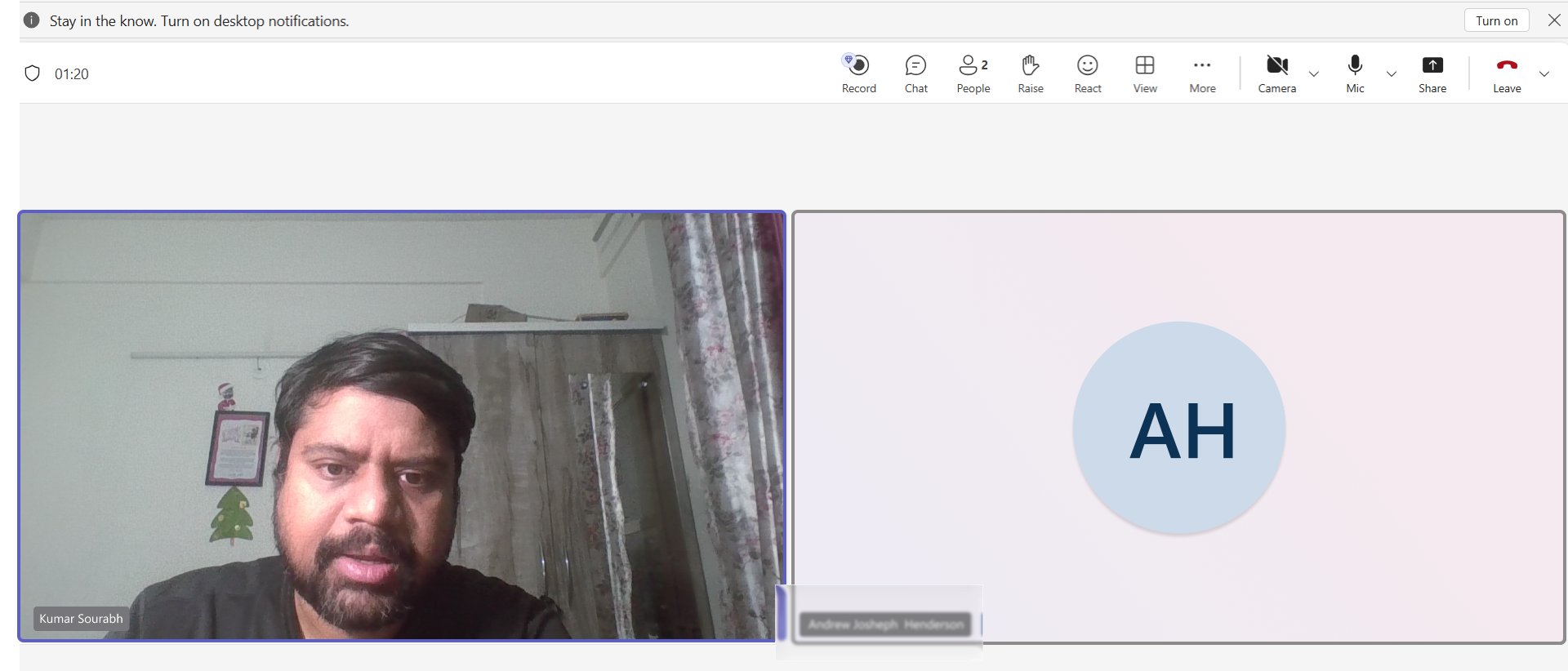
Types of Questions Used
Warm-up / context
- “Tell me about your role and a typical day.”
- “How long have you been using [current tool]?”
Behavioural (past-focused)
- “Walk me through the last time you scheduled a patient appointment, step by step.”
- “Tell me about a time scheduling went wrong — what happened, and what did you do?”
Exploratory / workflow
- “How do you currently know if a colleague or care team member is available?”
- “How do you currently handle recurring appointments or follow-ups?”
Wrap-up / prioritisation
- “If you could change one thing about how appointments are scheduled today, what would it be?”
- “Is there anything I haven't asked about that you think is important?”
Community Care Nurse
“Some days I'm going out to visit patients at home, and I'm scheduling that time separately from everything else. It would help so much to just do it in one place.”
Admin Clerk
“I usually double-check with a phone call anyway, because I don't fully trust that the calendar is up to date.”
Customer Service Staff
“If it's a virtual appointment, the patient needs a link they can actually find and click on the day — that part trips a lot of our older patients up.”
Doctor
“We need to see availability across the whole team, not just my own calendar, especially when I'm covering for someone.”
Observations
- Clinicians kept a personal paper/phone "backup" calendar because they didn't fully trust the digital system.
- Booking a home visit typically involved a phone call, then manual entry into 2–3 separate systems.
- Cancelling a recurring appointment required cancelling and re-creating each future instance — actively avoided.
07 — Survey Findings
Quantifying what interviews surfaced.
12-question survey across clinical and administrative staff (n=42), mixing Likert-scale, ranking, and open-text questions.
Respondent Roles (n=42)
Top Pain Points (severity 0–10)
Estimated Hours/Week Coordinating Appointments
Appointment Type Mix
08 — Competitive Analysis
Where competitors converged, and where they left gaps.
| Feature | MediRecords | HotDoc | Coviu | MedicalDirector | Coverage |
|---|---|---|---|---|---|
| Create appointment | ✓ | ✓ | ✓ | ✓ | 100% |
| Define appointment type (virtual/F2F/home visit) | ✓ | ✓ | ✓ | ✓ | 100% |
| Select supporting practitioners | — | ✓ | — | — | 25% |
| Set recurrence | — | — | ✓ | ✓ | 50% |
| Appointment reminder (SMS/email) | ✓ | ✓ | ✓ | ✓ | 100% |
| Telehealth video call | ✓ | ✓ | ✓ | — | 75% |
| Appointment urgency flag | ✓ | — | — | — | 25% |
| Overlapping session support | — | ✓ | ✓ | ✓ | 75% |
8
Table-stakes features
Common across all 4 competitors — not differentiators.
75%
Offer video calling
Telehealth is a baseline expectation in this market.
50%
Opportunity gaps
Recurring appointments, notes, and status updates.
4/4
Shared workflow pattern
Calendar → Create → Add details → Save → Notify.
09 — Pain Points & Opportunities
Turning findings into direction.
| Pain Point | Evidence | Design Opportunity |
|---|---|---|
| Double bookings & scheduling conflicts | 81% survey; top interview theme | Real-time conflict validation before saving |
| No visibility of team/colleague calendars | 76% survey; repeated in interviews | Team calendar view, filterable by clinician/role |
| Manual, multi-channel coordination | 64% survey; observed in shadowing | In-platform creation with automatic notification |
| No unified way to book home visits/virtual calls | Confirmed in interviews | Single flow supporting all appointment types |
| Recurring appointments hard to edit/cancel | Shadowing observation | Bulk edit/cancel: this / this+following / all |
| Patients unsure how to join video calls | Customer service interviews | Clear joining instructions, PIN, one-tap 'Join meeting' |
| Time zone confusion | Engineering + survey (5.9/10) | Explicit time zone display and setup guide |
10 — Empathy Maps
Seeing the world through two lenses.
Empathy Map
Clinical & Care Coordination Staff
Says
- "I usually double-check with a phone call anyway."
- "We need to see the whole team's availability."
Thinks
- "I don't fully trust the system reflects reality."
- "There has to be a faster way to do this."
Does
- Keeps a personal backup diary.
- Calls patients directly to confirm home visits.
- Manually re-enters appointments across systems.
Feels
- Frustrated by duplicated effort.
- Anxious about missing/double-booking.
- Relieved when a booking goes smoothly.
Empathy Map
Patient (Virtual/Home-Visit Care Recipient)
Says
- "I wasn't sure if I was supposed to click something or wait for a call."
- "Is this the right time — my time or theirs?"
Thinks
- "I hope I don't miss this appointment."
- "I don't want to seem like I don't understand technology."
Does
- Waits for a call/text before assuming confirmation.
- Asks a family member for help joining a video call.
Feels
- Uncertain about technology.
- Reassured by clear reminders.
- Appreciative of flexible appointment types.
11 — Personas
Three users at the centre of the design.

Priya Shah
Community Care Nurse, 34
“I just want to know my schedule won't change under me the moment I leave the building.”
Manages a rotating caseload of 20–30 patients across home visits and clinic appointments. Relies heavily on her phone between visits.
Goals
- See her full day/week across appointment types
- Get notified immediately on patient responses
- Schedule a home visit without switching tools
Frustrations
- Appointments booked by others don't sync to her view
- No way to see time-slot conflicts with colleagues
- Recurring check-ins tedious to reschedule
Key Channels

Mark Tran
Practice Admin Clerk, 41
“Half my day is spent just confirming things that should already be confirmed.”
Coordinates appointments for five clinicians, fielding calls and re-confirming informal bookings.
Goals
- Create/edit appointments on behalf of clinicians
- Filter calendar by clinician/type/urgency
- Reduce time chasing confirmations
Frustrations
- No single source of truth for availability
- Cancelling a recurring series means cancelling each instance
- Constant phone-based double-checking
Key Channels

Elaine Whitfield
Patient, 72, Regional NSW
“As long as someone tells me clearly what to click and when, I'm fine.”
Receives fortnightly virtual check-ins plus occasional home visits for a chronic condition. Uses a tablet but isn't confident with unfamiliar apps.
Goals
- Know clearly if her next appointment is a call, visit, or in-person
- Join a video call without confusion
- Get reminders with enough notice
Frustrations
- Uncertain if an appointment is confirmed
- Worried about missing a video call
- Time zone/time display mismatches
Key Channels
12 — Journey Map
The current-state clinician journey.
A full service-design view: user activities, goals, touchpoints, an emotion curve, pain points and opportunities, plus the business goal, KPIs, teams and systems supporting each stage.
Emotion Curve (1 = Frustrated · 4 = Confident)
13 — Use Cases & User Intent
What the tool needs to do.
Core Use Cases
- Clinician creates an appointment from a patient's profile.
- Clinician is notified when a patient responds to an invitation.
- Clinician accesses a weekly calendar to view, cancel (single/recurring), duplicate, or create appointments, with conflict validation.
- Patient receives an invitation and accepts (syncs to personal calendar) or rejects it.
User Intent Priority
| User Intent | Frequency |
|---|---|
| Create an appointment | High |
| View appointments | High |
| Notify user with appointment details | High |
| Appointment accept/reject by patient | High |
| Time zone handling | High |
| Send reminder before appointment | High |
| Sync to external calendar | Medium |
| Filter appointments by clinician | Medium |
| Calendar view (day/week/month) | Medium |
| Create recurring appointments | Medium |
| Add appointment on behalf of someone else | Medium |
| Edit/cancel appointments | Medium |
| Set available/unavailable time frames | Medium |
| Group appointments | Low |
| Add notes | Low |
| Set appointment urgency | Low |
13.5 — Constraints & Trade-offs
Designing within real limits.
Not every ideal decision made it into scope. These three constraints shaped what got built, what got deferred, and what shifted from design polish to design principle.
Two live platforms, one pattern
Kyra PAS/Clinical and VHP had different underlying data models. The 'one reusable pattern' goal meant some ideal interactions — like fully custom recurrence rules — were simplified to what both systems could support without a backend rebuild.
8-week timeline
With discovery, synthesis, design, and validation all in scope, card sorting was used narrowly — on navigation and filter labels only — rather than across the full IA. A broader taxonomy study was flagged as a fast-follow.
Clinical safety review
Any change touching appointment conflict logic required sign-off from the Clinical Lead before usability testing, which shaped how early we needed validated logic — not just UI — in the prototype.
13.7 — Card Sorting
Testing our assumptions about labels, not just layout.
A focused card sort with 12 clinicians and admin staff on the action vocabulary around appointments — to check whether the terms we planned to ship matched how users actually grouped them.
Before — ungrouped terms
The action vocabulary as originally drafted.
After — participant groupings
How 12 participants naturally clustered the same terms.
Manage Appointment
Manage Recurrence
Set Availability
of participants grouped "Cancel all future" under Recurrence, not Cancel — confirming clinicians think about recurring series as a distinct object, not a batch of individual cancellations.
14 — From Research to Design
Every decision traces back to an insight.
| Research Insight | Design Decision |
|---|---|
| Clinicians need visibility across the whole care team | Provider Dashboard with team-wide calendar, filter by clinician |
| Booking needs to work from where the clinician already is | Appointments module under Patient Profile sub-navigation |
| Patients need a simple, self-contained way to manage appointments | Dedicated Appointments section in patient app (My Account) |
| Recurring appointments are painful to edit/cancel individually | Cancel flow: this appointment / this+following / all |
| Conflicting bookings are the top pain point | Real-time validation before saving, flags conflicts immediately |
| Home visits and video calls need distinct handling | Appointment type selector driving type-specific fields |
| Workflow should be consistent across platforms | One shared pattern: Calendar → Create/Edit → Add Details → Validate → Save → Notify |
Deliverables
Research Document
The single source of truth referenced throughout the project.
7
Stakeholder interviews
Product, clinical, support, compliance and client leads aligned on goals, constraints and success criteria.
12
User interviews
Nurses, clinicians, admin staff and patients.
84
Survey respondents
Pain points, appointment mix, and time spent coordinating.
6
Competitors analysed
Feature and heuristic matrix.
3
Primary personas
Clinician, admin, and patient archetypes.
1
End-to-end journey map
Emotion curve, pain points, and opportunities.
4
Prioritised use cases
Mapped to insights and design decisions in a traceability matrix.
8
Usability tests
Plan, scripts, and validation results feeding into the final design.
15 — Usability Testing & Validation
Testing before shipping.
Moderated remote usability testing with 8 participants (nurses, admin clerks, clinicians) on mid-fidelity prototypes.
Baseline vs. Prototype Confidence (1–5 scale)
| Task | Success Rate | Avg. Time on Task |
|---|---|---|
| Create a new video call appointment | 100% (8/8) | 1m 42s |
| Filter team calendar by clinician | 88% (7/8) | 0m 38s |
| Cancel a recurring appointment | 88% (7/8) | 1m 05s |
| Respond to an appointment invitation (patient) | 100% (8/8) | 0m 24s |
| Join a video call from a reminder | 100% (8/8) | 0m 15s |
Usability test participant, Admin Clerk
"This is so much faster than calling around — I can actually see who's free right now."
Usability test participant, Nurse
"I like that it tells me straight away if there's a clash, instead of me finding out later."
16 — Outcomes & Impact
What the work moved.
- Established one reusable appointment-booking pattern adopted across both Kyra PAS/Clinical and VHP.
- Gave product a validated, prioritised backlog grounded in frequency/severity data.
- Paired every screen with its research rationale in the UX/UI standards doc, reducing engineering ambiguity.
- Created a repeatable research framework reused for the subsequent Billing & Invoice Management tool.
17 — Reflection
What I took from the project.
- Cross-platform research pays off — insights that hold true across two products become design principles, not preferences.
- Shadowing consistently uncovered workarounds that interviews alone would have missed.
- Quantifying qualitative themes with survey severity scores earned faster stakeholder buy-in.
- Designing for low digital literacy sharpens the design for everyone — clarity is universal.
- Usability testing after design (not just before) surfaced small friction points that would have shipped otherwise.