Logistics · Financial Services · Product Design Lead
Billing & Invoice Management Tool
UPS Capital
Executive Summary
UPS Capital, the financial services division of UPS, needed to move its Billing & Invoice Management tool off the legacy Guidewire platform onto a modern in-house system. The redesign separated UPS Capital accounts from UPS core systems and introduced multi-policy invoice and payment management.

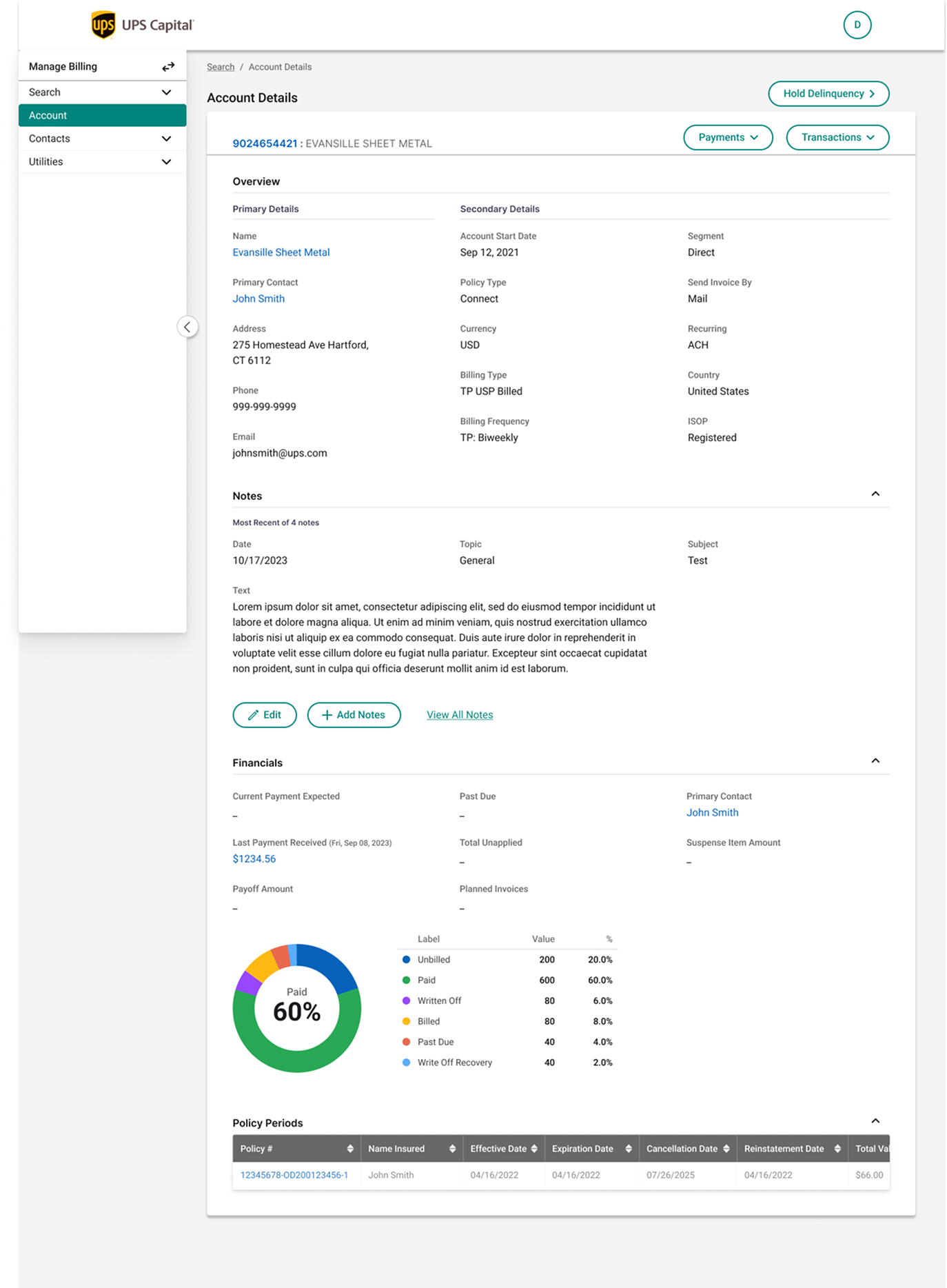
UPS Capital — Billing & Invoice Management Tool, final dashboard UI
01 — The Challenge
What we walked into.
Cost & ownership
Guidewire licensing was costly and tied UPS Capital's billing data to UPS's broader systems, limiting flexibility and increasing operational dependency.
Feature parity risk
The new tool had to replicate every essential Guidewire workflow before any new feature could be added, or finance teams would lose critical functionality on day one.
Scope expansion
Beyond migration, the business wanted entirely new capabilities: multi-policy invoice handling and consolidated payment management across accounts.
02 — My Role
End-to-end UX for the migration.
As Product Designer and design team lead, I owned the end-to-end UX for this migration. I led stakeholder workshops, conducted comprehensive user research across six distinct user roles, mapped the existing Guidewire workflows, defined the new information architecture, and delivered a complete design system spanning 348 screens — from initial discovery through final visual design and developer handoff.
03 — Research & Discovery
How we learned what mattered.
Research at a glance
Workshop methods
Discovery
Understand existing product, milestones and plans
Empathy
Prioritise user types and their needs
Design
Rapidly generate and discuss ideas with stakeholders
Prioritisation
Build consensus on highest-value features
Use case breakdown
- Existing use cases retained21 · 58.3%
- Existing use cases updated5 · 16.7%
- New features added9 · 25%
Users we designed for
User personas

Sarah Mitchell
28Accounts Payable Clerk (Admin User)
Responsibilities
- Processing invoices
- Managing vendor payments
- Reconciling accounts
Pain points
Goals

Linda Green
45Senior Finance Manager
Responsibilities
- Overseeing financial operations
- Ensuring policy compliance
- Managing financial risk
Pain points
Goals

Jessica Parker
38Delinquency Manager
Responsibilities
- Managing overdue accounts
- Coordinating with legal teams
- Analyzing delinquency trends
Pain points
Goals
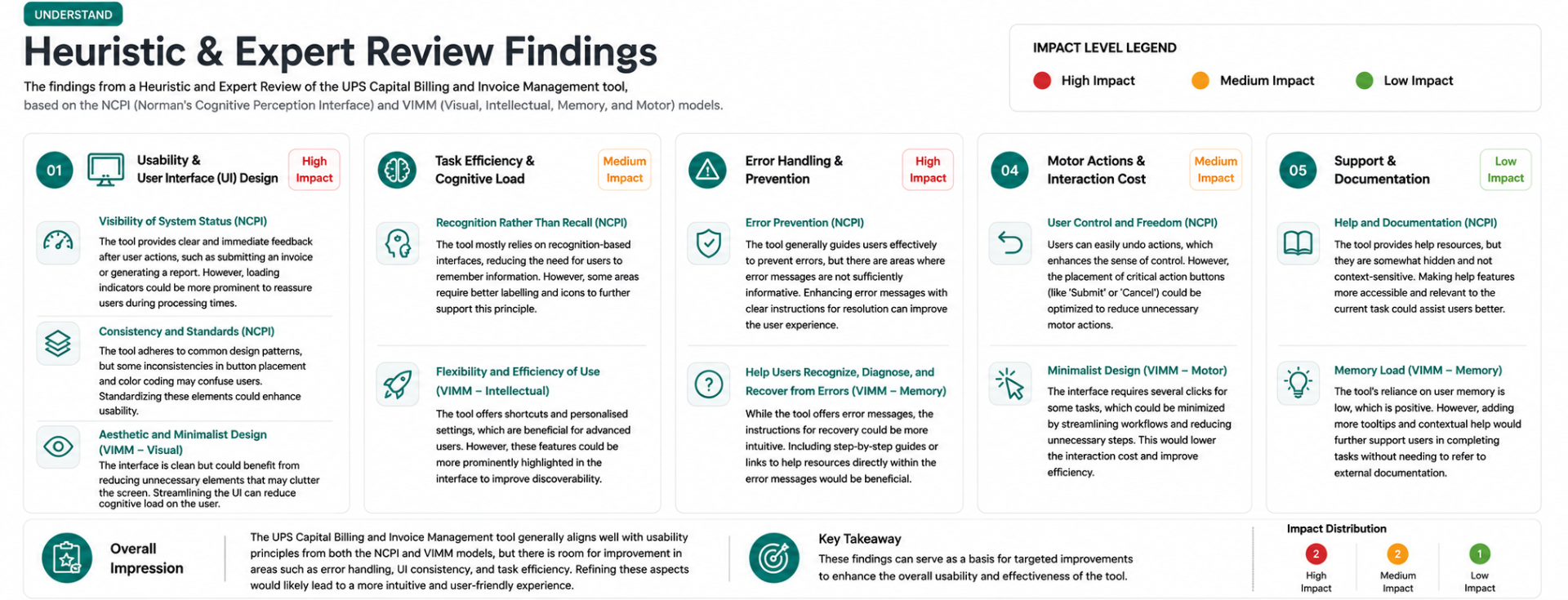
Expert review
Key findings from heuristic review
Michael Chen
Sr. Business Analyst, UPS Capital Billing Ops
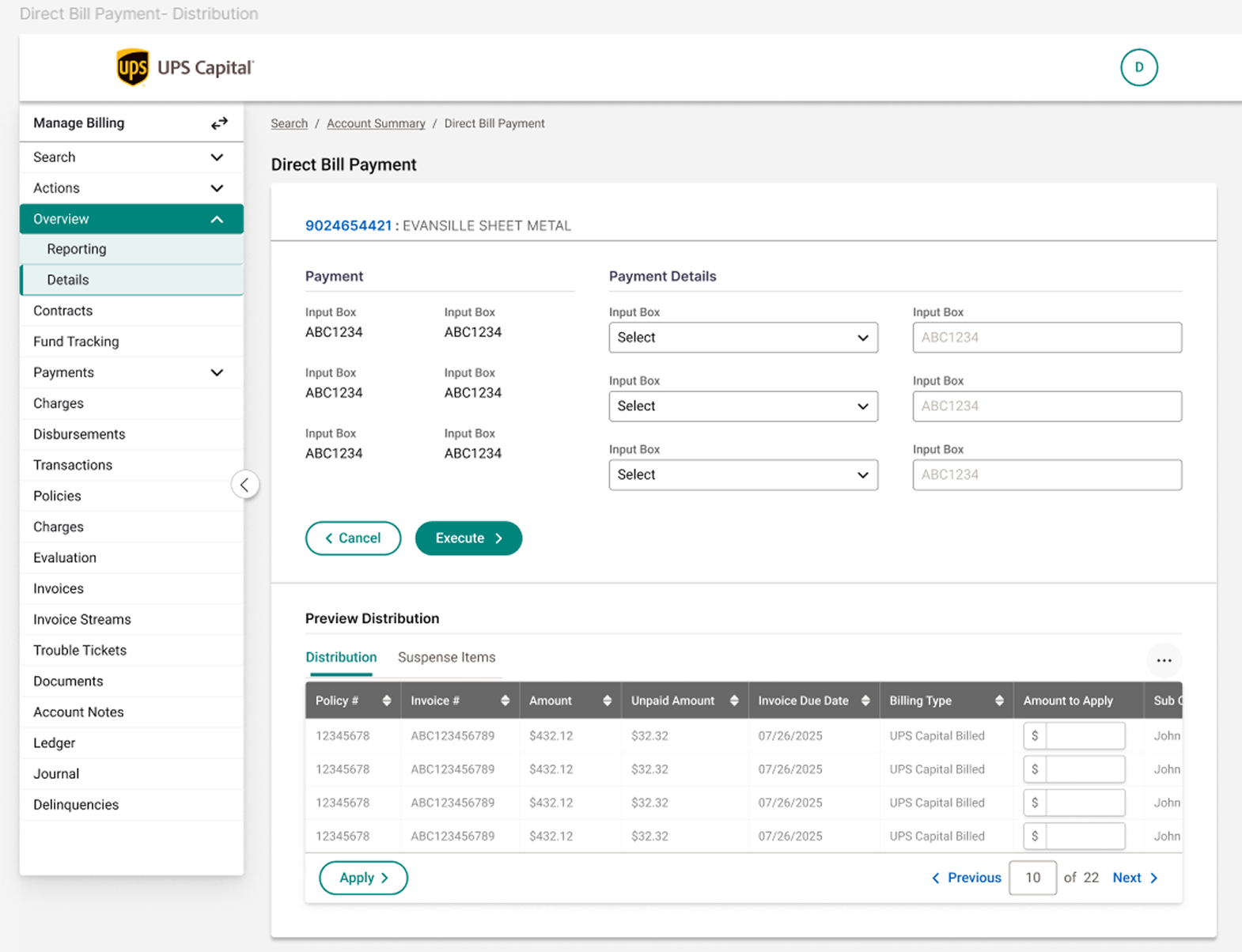
Add inline validation with specific recovery guidance before submission — especially on payment distribution forms where errors are costly to reverse.
Priya Anand
QA Lead, UPS Capital Digital Platforms
Establish a shared component library so button placement, color coding, and terminology stay consistent across Manage Billing, Activities, and Account modules.
David Foster
Operations Manager, Accounts Receivable
Reduce click depth for frequent tasks — bring "Apply payment" actions directly into the account summary view instead of a separate page.
Karen Whitfield
Customer Service Training Lead, UPS Capital
Add persistent loading and progress indicators during report generation and bulk actions, so frontline staff aren't left wondering if the system is responding.
04 — My Approach & Key Decisions
How the work came together.
Understand user needs
Stakeholder interviews, workshops with current Guidewire users, detailed personas.
Analyze current systems
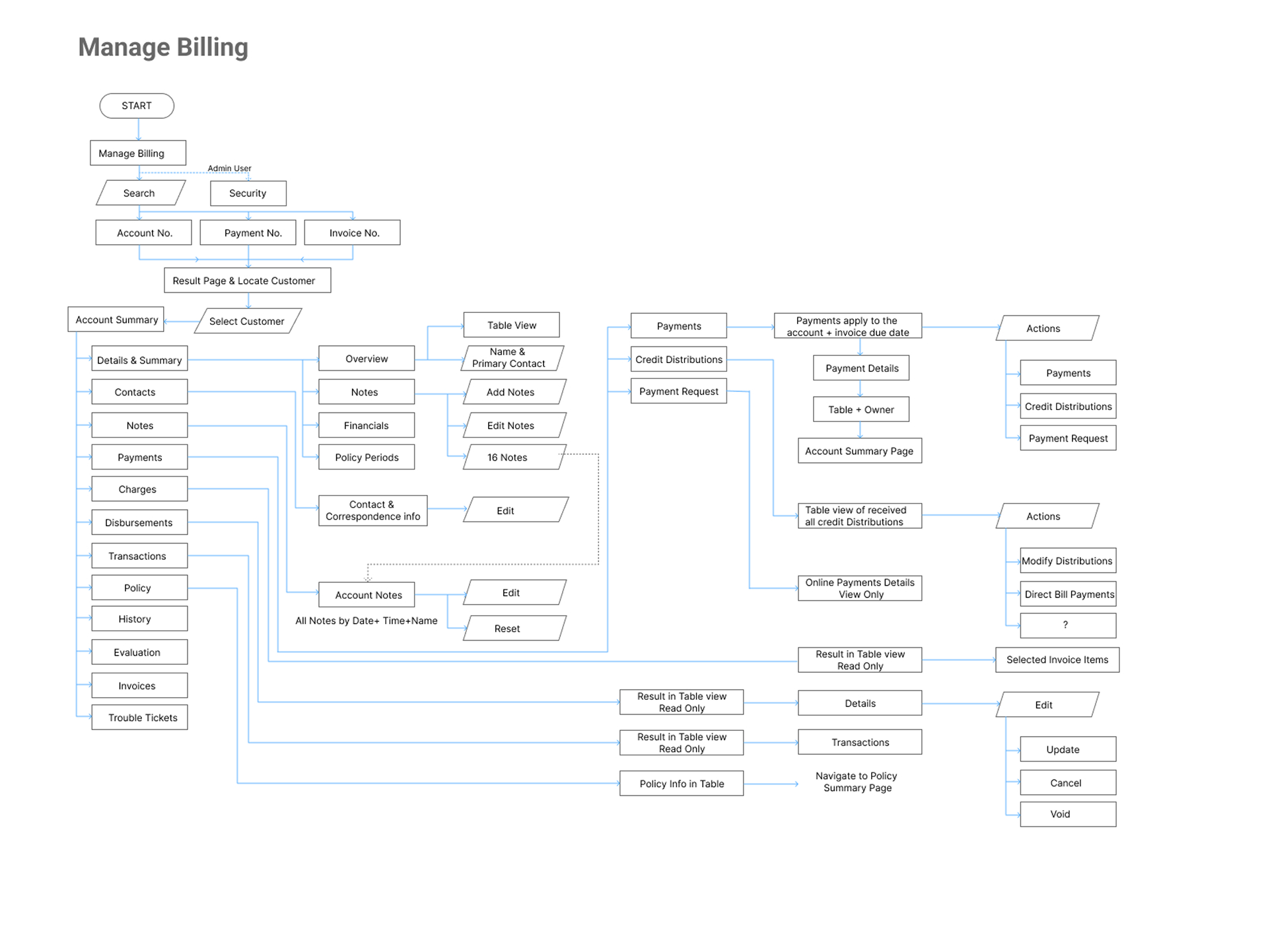
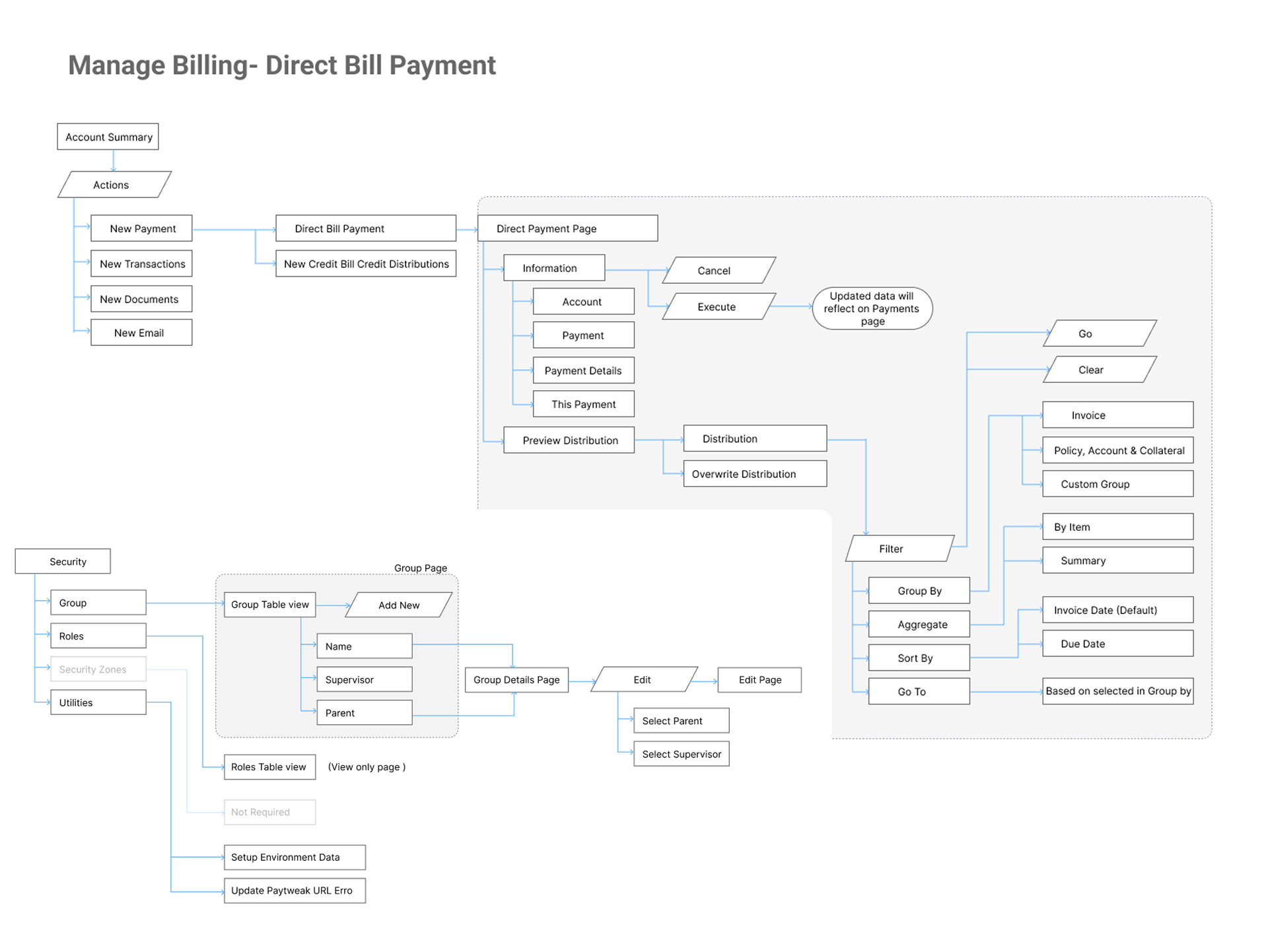
Mapped existing Guidewire workflows, identified friction points, ensured feature parity before adding anything new.
Define new features
Gathered requirements with stakeholders, prioritized by user need and business goal, ran competitive analysis against industry tools.
Information architecture
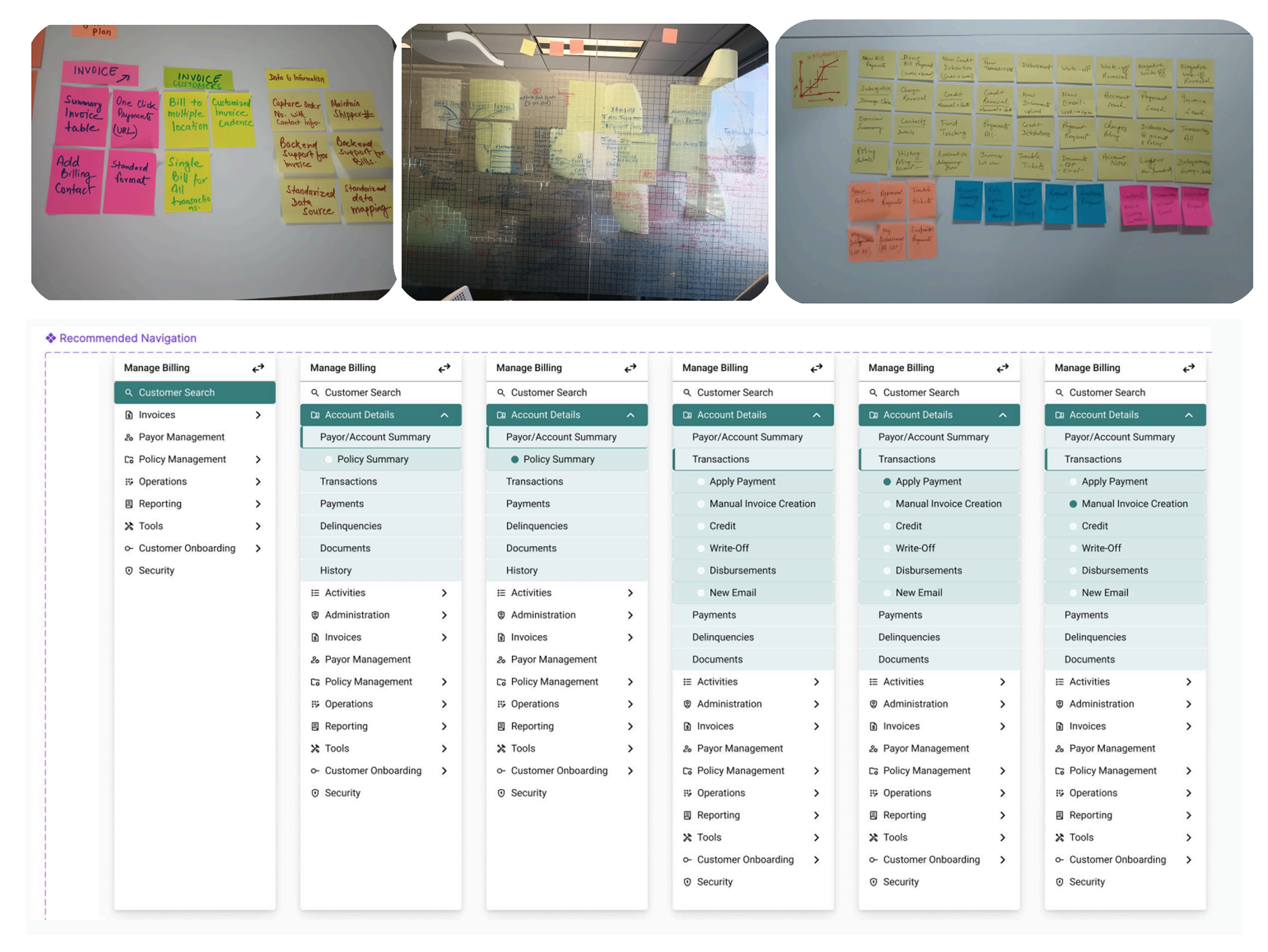
Used card sorting with stakeholders to define navigation categories and hierarchy across the entire platform.
Prototype & visual design
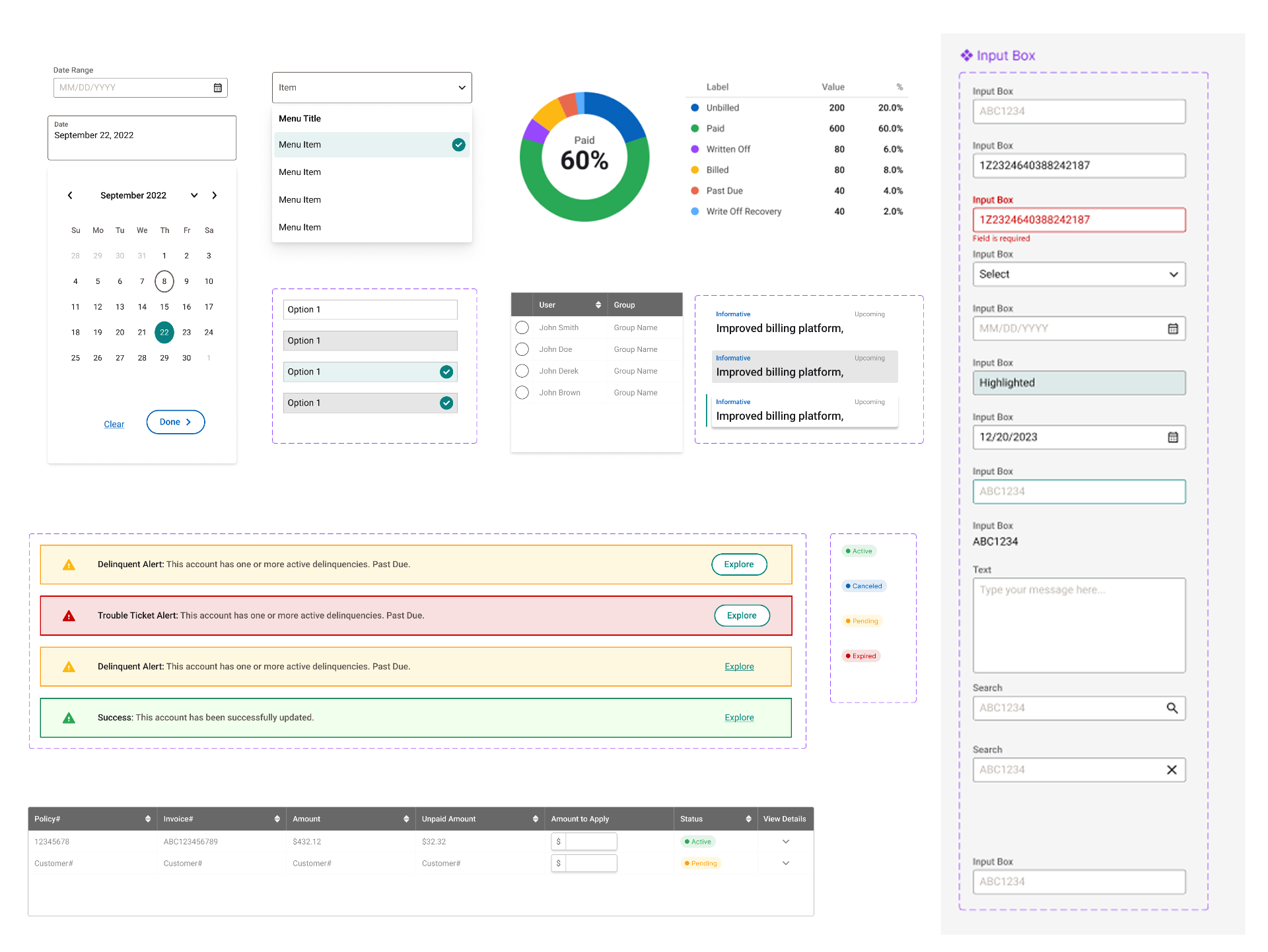
Built high-fidelity interactive prototypes with a consistent, accessible design system.
User testing
Iterative feedback loops and usability testing with real users to validate every major workflow.
Key decisions
Feature parity before innovation
over launching new capabilities first, because finance teams couldn't afford to lose existing functionality during migration. We chose to fully replicate every essential Guidewire workflow before introducing new features.
Card-sorted information architecture
over a designer-led IA, because the platform spans 9+ functional areas (Invoices, Payor Management, Policy Management, Operations, Reporting, Security, and more) and needed buy-in across departments to be adopted.
Consistent component library
over ad-hoc screen design, because the scale of the platform — 348 screens — made consistency essential for both usability and long-term maintainability.
05 — Final UI Screens
The screens that shipped.
06 — Outcome & Impact
What it moved.
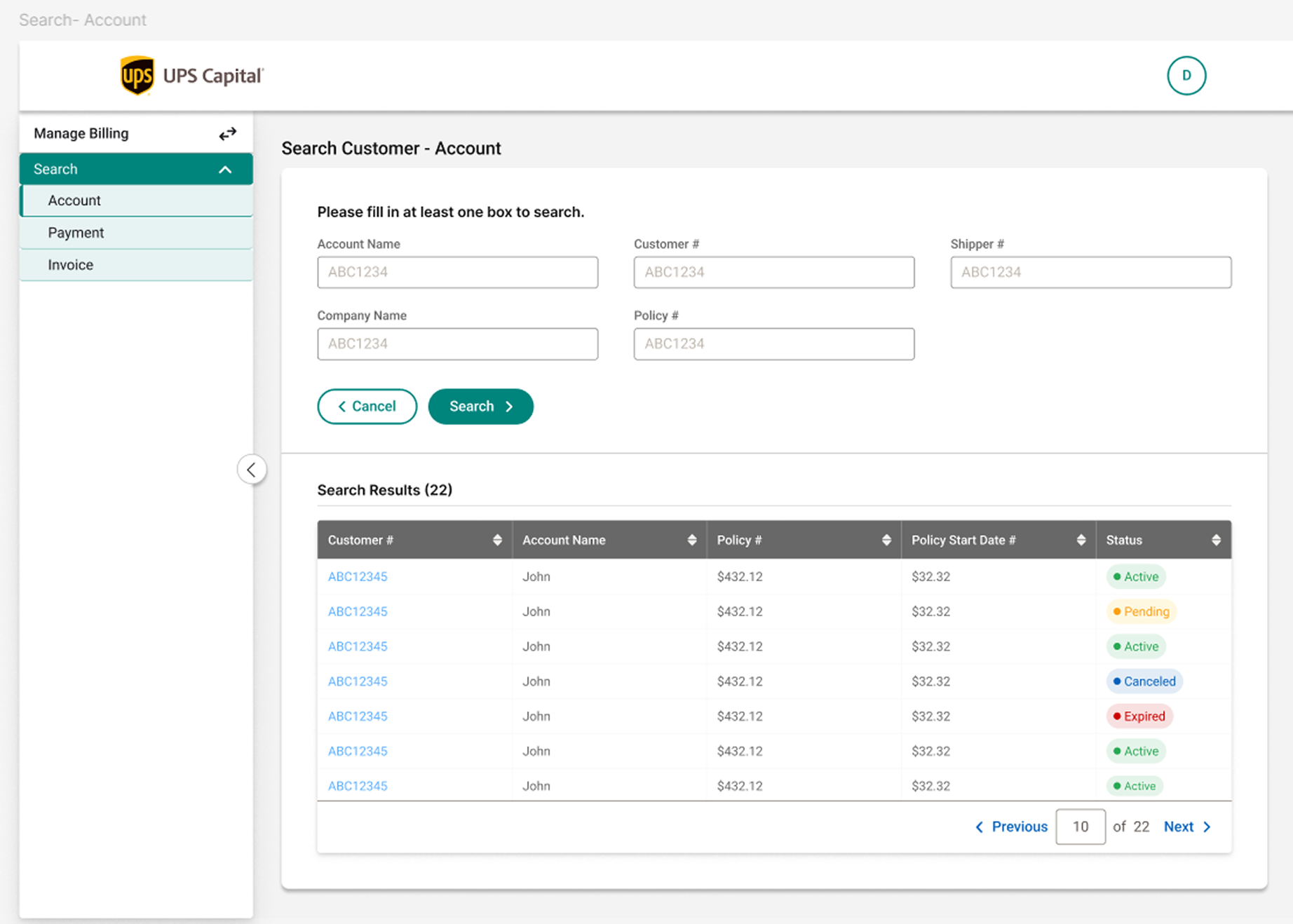
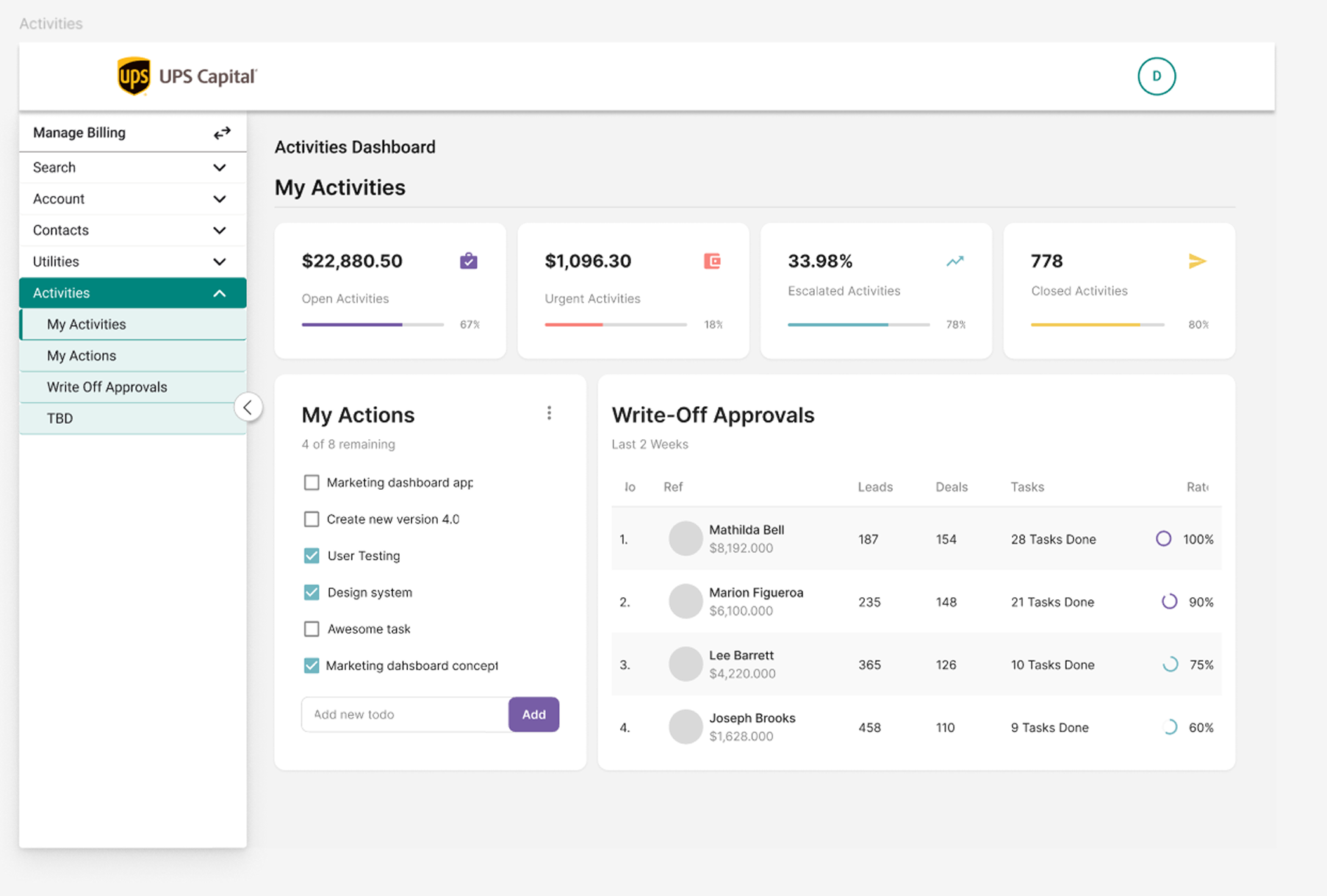
Delivered a complete migration from Guidewire to an indigenous billing and invoice platform — preserving every critical workflow finance teams relied on while introducing multi-policy invoice and payment management. The new design system spans 348 screens across customer search, billing, payments, delinquencies, and administration, giving UPS Capital full ownership of their billing infrastructure.
07 — Reflection
What I'd do differently.
With a platform this large, I'd push to run usability testing on the core navigation structure earlier in the process — before committing to the full 348-screen build. Card sorting gave us stakeholder alignment, but validating it with end users at the same stage would have caught a few navigation depth issues we only found during later testing rounds.
Tools Used